Invoice and receipt PDFs from JSON
Design your invoice, receipt, label or certificate once in a visual editor. Then send the values as JSON — from your app or an automation — and get a finished PDF back.
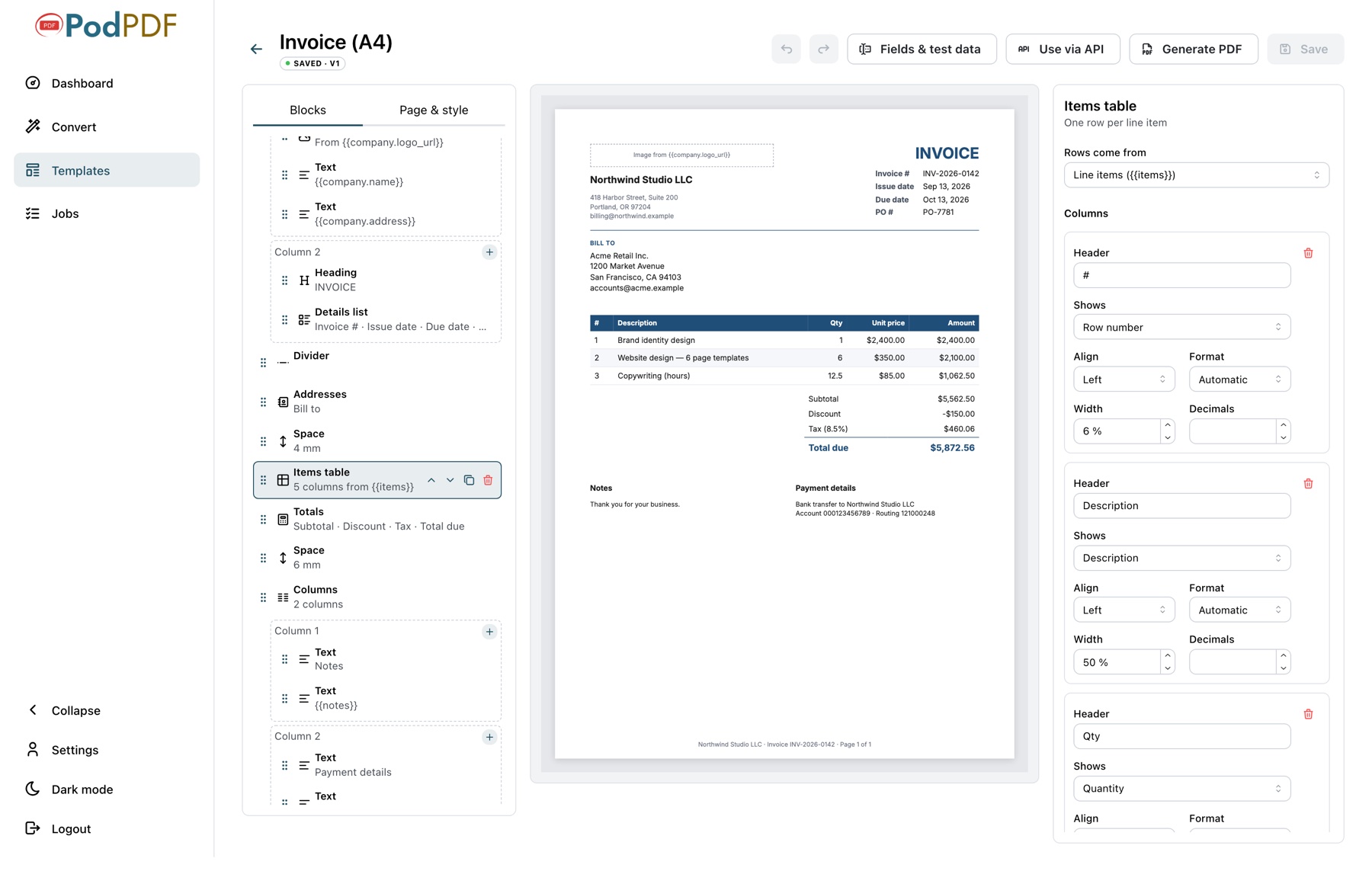
A visual editor built for business documents
Pick blocks from the palette, arrange them on the page, and edit each one in plain forms. Insert values from your JSON anywhere with one click — the preview shows the real PDF as you work.
- Addresses, details lists, item tables and totals
- Logos, QR codes, Code 128 and EAN-13 barcodes, signatures
- Columns, dividers, page breaks and a footer with page numbers
- Undo, redo and a form to test with sample data
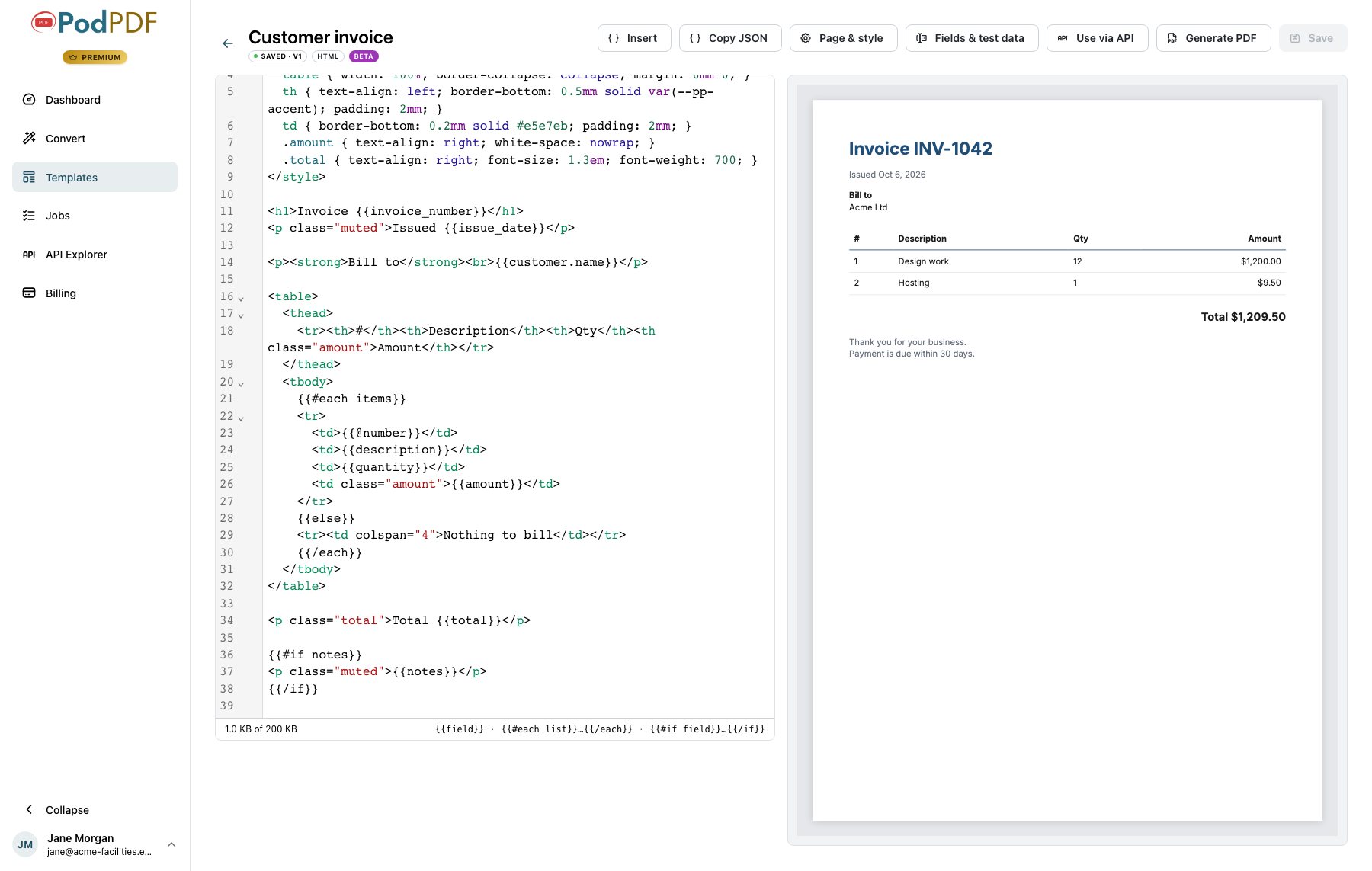
Already have it in HTML? Use that
Write the template yourself in HTML and CSS, in a code editor with the live preview beside it. Put a tag where each value goes, and render it from JSON exactly like a visual template.
- {{field}} for a value, formatted as money, a date or a number
- {{#each items}} to repeat a table row, {{#if notes}} to show something only when it is filled in
- The editor lists anything that will not appear in the PDF, with its line
- Same fields, test data, API, integrations and mail merge
Real documents, straight from your data
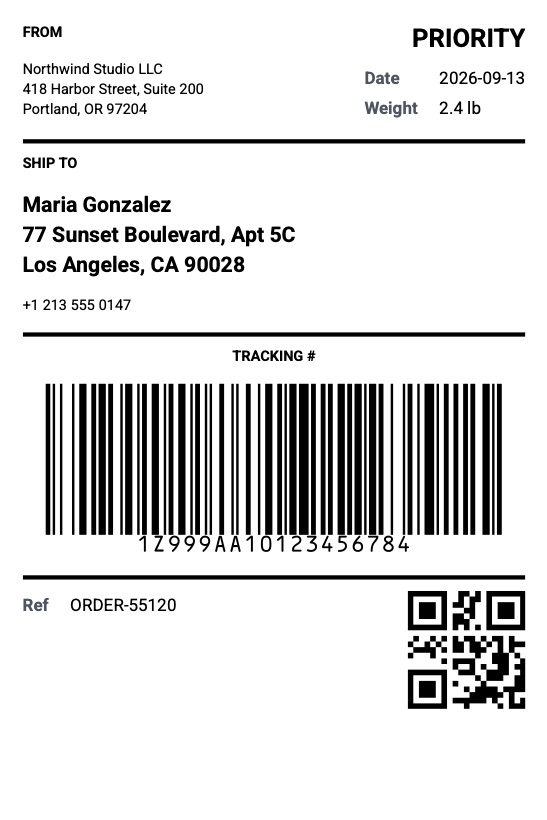
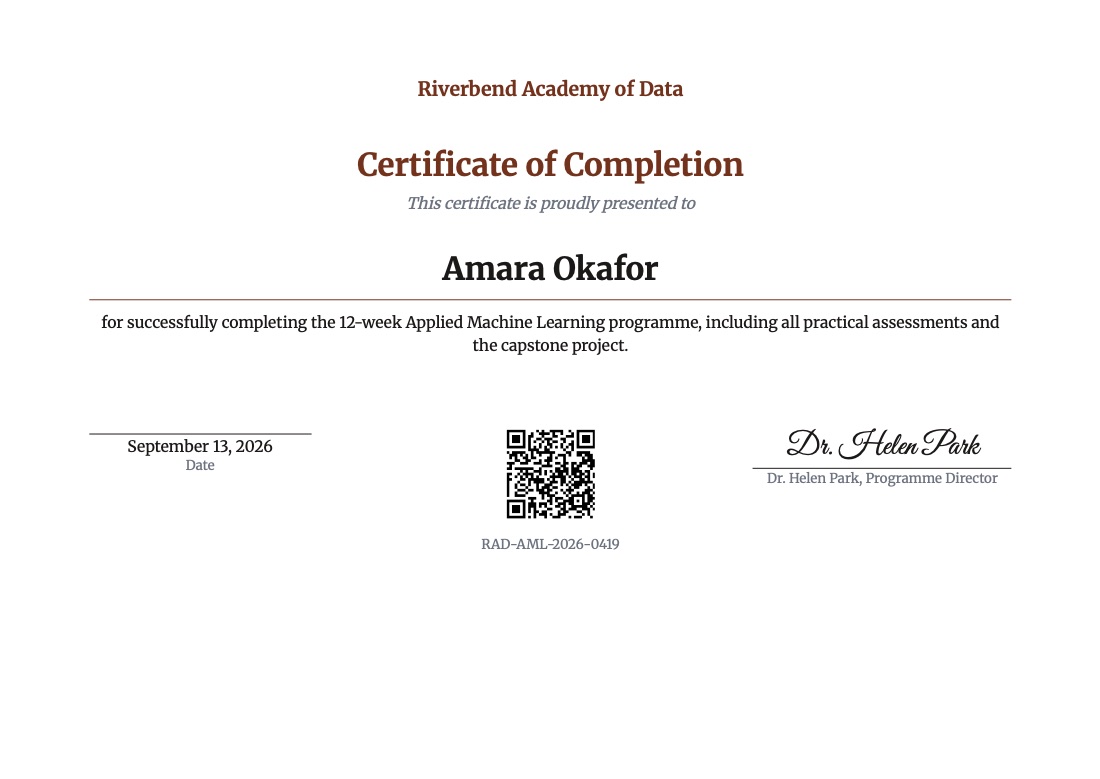
These PDFs were generated from the starter templates with nothing but JSON.
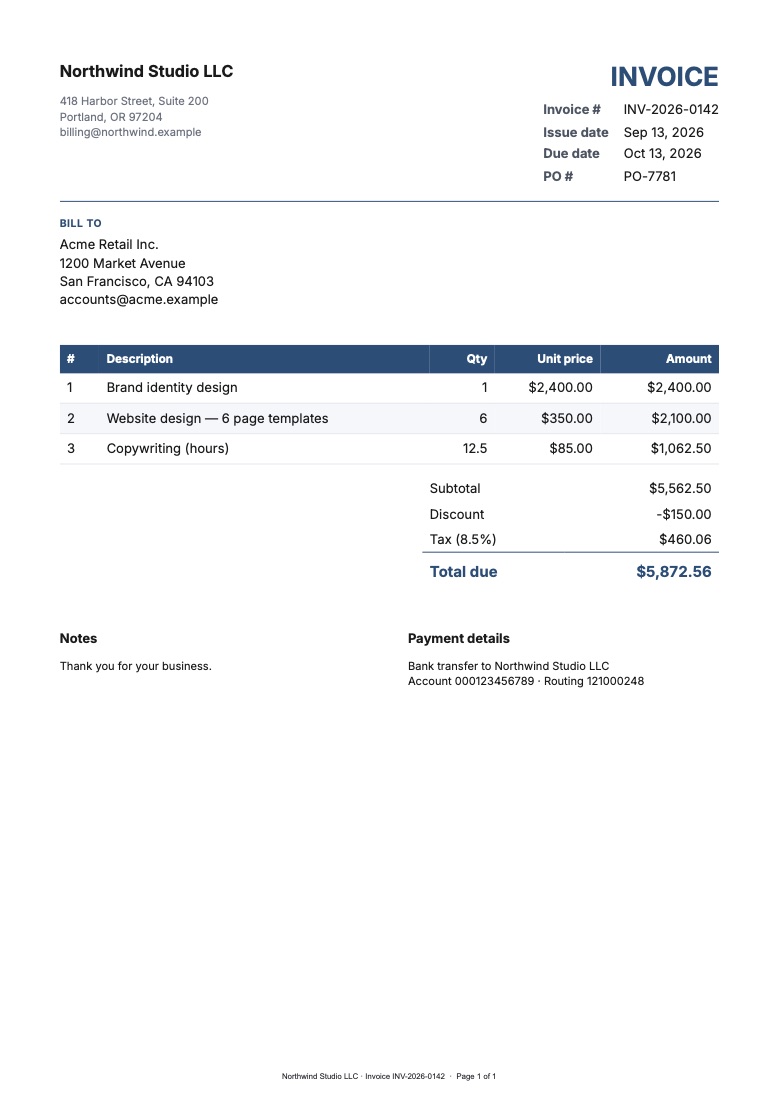
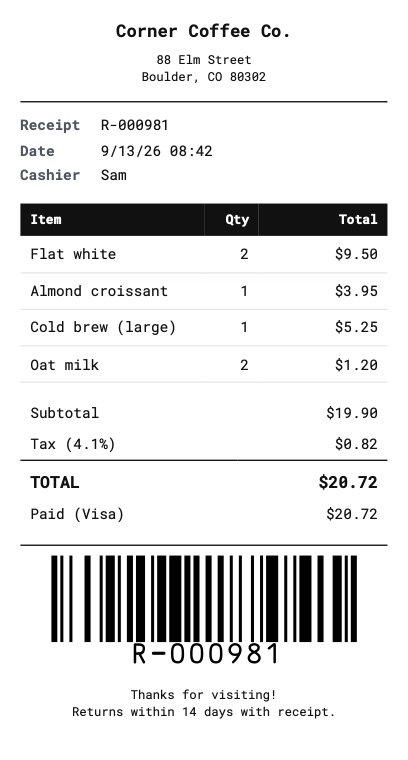
Everything a real invoice needs
Design without code
Add headings, address blocks, item tables, totals, logos, barcodes and signatures, and see the page update as you go.
Fill it with JSON
Every field has a JSON key. Send {"invoice_number": "INV-1042", "items": [...]} and get the finished PDF back.
Real invoice maths
Line amounts, subtotal, discount, tax and total are calculated for you and formatted in your currency and language.
Any paper size
A4, A5, A3, US Letter and Legal, 4×6 labels, custom sizes, and 80 mm or 58 mm receipts whose length follows the content.
Long documents done right
Table headers repeat on every page, rows never split across a page, and the footer can show "Page 2 of 3".
Clear errors, no surprises
Missing or mistyped values are all listed in one response, and a PDF that failed validation is never charged.
How it works
Pick a starter
Start from one of 32 ready-made templates or a blank page.
Make it yours
Add your logo and fields, choose the paper size, and check the live preview.
Send JSON, get a PDF
Generate from the dashboard form, call the API from your app, Zapier or n8n, or email one to every row of a spreadsheet with mail merge.
Guides by document type
Step-by-step guides with the fields, example requests and use cases for each template group.
- Invoices, proformas and credit notes
- Quotes and estimates
- Receipts for 80 mm and 58 mm printers
- Rent and donation receipts
- Account statements and utility bills
- Shipping labels, packing slips and delivery notes
- QR codes: posters, QR-only labels, Wi-Fi cards
- Barcode labels: EAN-13, asset tags, address labels
- Event tickets, invitations, vouchers and badges
- Payslips, offer letters and ID cards
- Purchase orders, work orders and menus
- Business letters and envelopes
- Certificates in bulk
- Mail merge: email every row its own PDF
- Write a template in your own HTML (beta)
Template questions
Do I need to know HTML or CSS?
What does a template render cost?
Which starter templates are included?
How much data can I send?
Can I add my logo?
If I change a template, does my integration break?
Start with a ready-made invoice
Customise a starter in minutes and generate your first PDF from the dashboard or the API.