Event Ticket PDFs with QR Codes: Invitations and Vouchers
Create PDF event tickets with scannable QR codes, printable invitations with RSVP links, gift vouchers and name badges from your booking data via API.
Whether you sell tickets for a concert, run a workshop series or send out invitations for a launch, every booking ends with the same need: a document the guest can print or show on their phone, with the details right and a code that scans at the door.
PodPDF templates turn booking data into that document. Send the booking as JSON and get a PDF ticket, invitation, voucher or badge back — attach it to the confirmation email, store it, or print it.
Four Templates for Events
| Template | Size | Code | Library group |
|---|---|---|---|
| Event ticket | 200 × 80 mm | QR code of the ticket ID | Events & tickets |
| Invitation | A5 | QR code linking to the RSVP page | Events & tickets |
| Gift voucher | 210 × 99 mm | QR code to redeem, Code 128 of the code | Events & tickets |
| Name badge | 4 × 3 in | QR contact card (MECARD) | Labels & QR codes |
Tickets
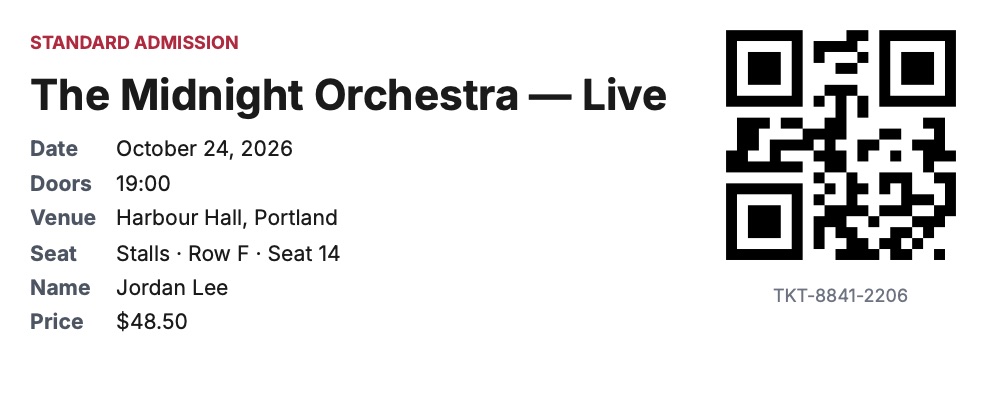
The ticket shows the event, date, doors time, venue, seat or area, the attendee’s name and the price, with a large QR code of the ticket ID on the right.
curl -X POST https://api.podpdf.com/templates/YOUR_TEMPLATE_ID/render \
  -H "X-API-Key: YOUR_API_KEY" \
  -H "Content-Type: application/json" \
  -o TKT-8841-2206.pdf \
  -d '{
    "data": {
      "event": "The Midnight Orchestra — Live",
      "date": "2026-10-24",
      "time": "19:00",
      "venue": "Harbour Hall, Portland",
      "seat": "Stalls · Row F · Seat 14",
      "ticket_type": "STANDARD ADMISSION",
      "attendee": "Jordan Lee",
      "ticket_id": "TKT-8841-2206",
      "price": 48.5
    }
  }'
date is an ISO date and prints in the template’s language (October 24, 2026, or 24. Oktober 2026 in German); price prints in its currency.
Checking Tickets at the Door
The QR code contains exactly the ticket_id you send, so any scanner app that reads text can look it up in your booking system. Two good habits:
- Make IDs unguessable. Use a random ID (a UUID, or a random suffix) rather than a sequence, so nobody can print ticket 1002 because they have 1001.
- Or encode a link. Change the QR value in the template to
https://tickets.example.com/check/{{ticket_id}}and door staff can scan with a phone camera and see the booking.
Mark tickets as used in your own system at the door; the PDF is the credential, your database is the source of truth.
Invitations with RSVP
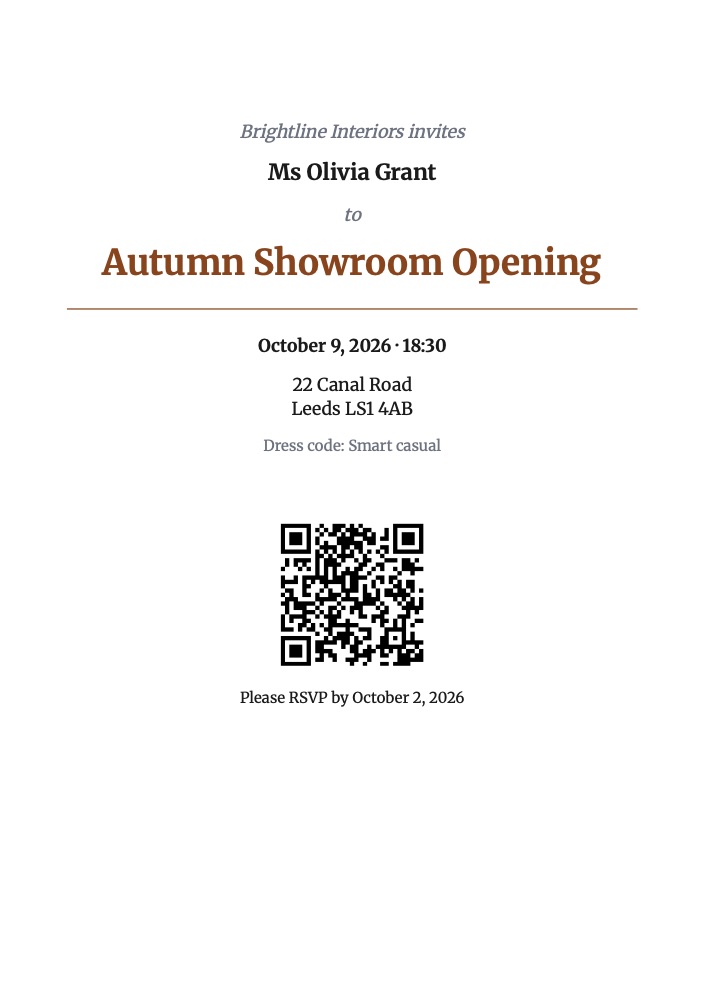
The A5 invitation prints the host, the guest’s name, the event title, date, time, venue and dress code, and a QR code of rsvp_url. Send every guest their own rsvp_url (for example https://example.com/rsvp/8f3k2) and you know who replied without asking them to type anything. It uses Merriweather, a serif typeface that suits printed invitations; change the accent colour in Page & style to match your theme.
Use it for product launches, client dinners, open days, weddings and private viewings.
Gift Vouchers
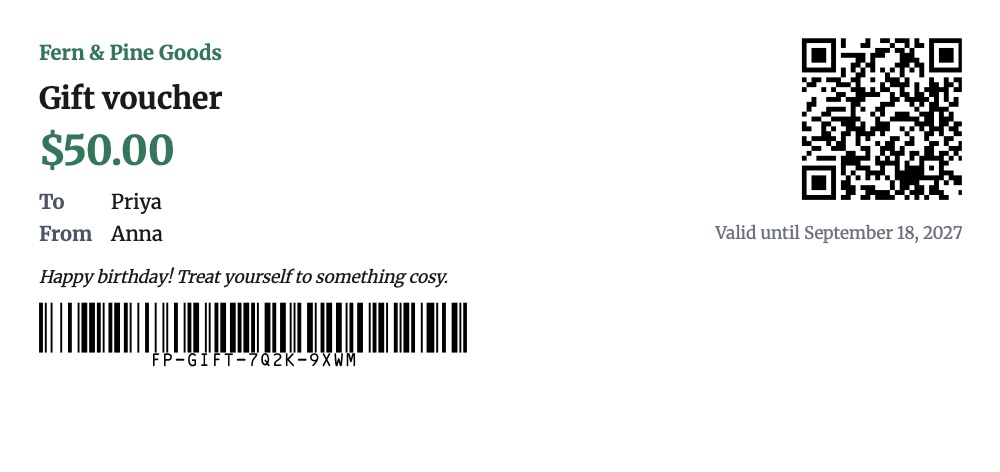
The voucher shows the amount, who it’s to and from, a personal message and the expiry date. It carries the voucher code twice: as a Code 128 barcode for the till scanner, and inside the QR code of redeem_url so the recipient can redeem or check the balance online.
{
  "data": {
    "business": "Fern & Pine Goods",
    "amount": 50,
    "recipient": "Priya",
    "sender": "Anna",
    "message": "Happy birthday! Treat yourself to something cosy.",
    "code": "FP-GIFT-7Q2K-9XWM",
    "expires": "2027-09-18",
    "redeem_url": "https://fernandpine.example/redeem/FP-GIFT-7Q2K-9XWM"
  }
}
Generate the code in your shop system when the voucher is bought, then render the PDF and email it to the buyer. The same template works for spa and restaurant vouchers, course credits and promotional coupons.
Name Badges
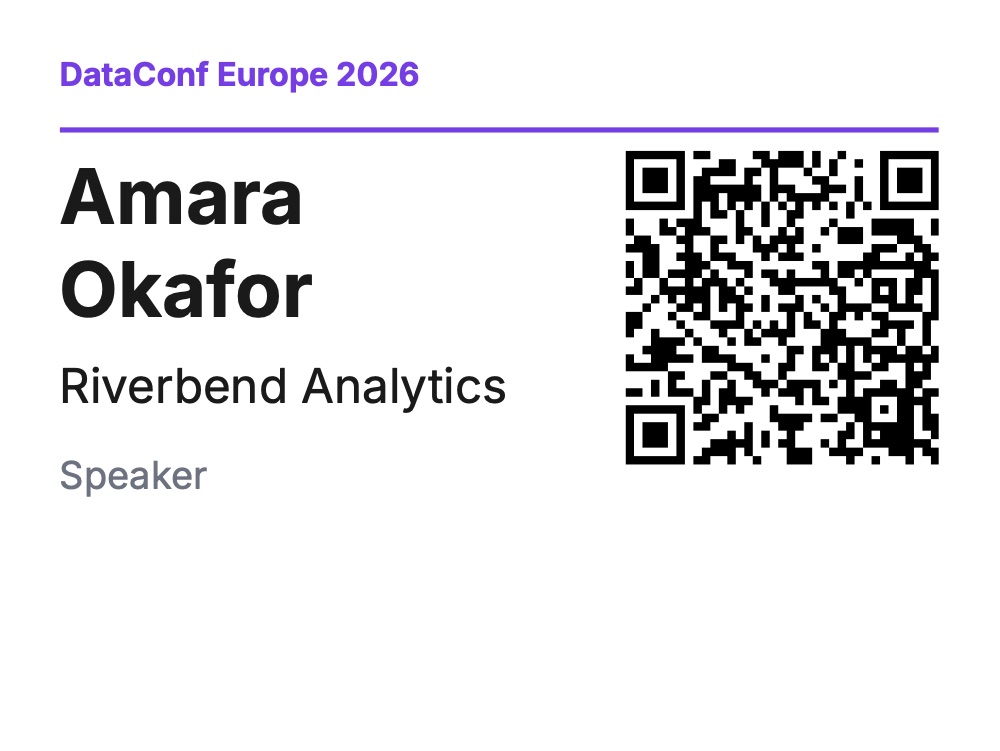
The 4 × 3 in badge fits standard badge holders and label stock. Its QR code is a MECARD contact card built from name, company and email, so attendees can swap details by scanning each other’s badges. Use role for the ticket type — Speaker, Sponsor, Staff, VIP — so it’s visible at a glance.
Use Cases
- Concerts, theatre and sport: seated and standing tickets from your box office
- Workshops and classes: a ticket per booking, with the session time and room
- Conferences: badges for every attendee and speaker, printed the night before
- Corporate events: invitations with personal RSVP links, then badges for those who accepted
- Tours and attractions: timed-entry tickets with the slot in
time - Shops, salons and restaurants: gift vouchers sold online and delivered by email
Automating the Flow
A typical setup renders a PDF when a booking is confirmed:
- Your booking or shop platform sends a webhook (or a new row appears in a spreadsheet)
- Zapier or n8n calls the render endpoint with the booking fields (Zapier guide, n8n guide)
- The PDF is attached to the confirmation email or saved to cloud storage
For a whole guest list — badges for a conference, for example — loop over the list and render each one, then merge them into one file for the printer. Each PDF stays exactly the badge or ticket size.
Pricing
Each ticket, invitation, voucher or badge is one PDF at $0.01, the same as an invoice, whether you buy credit packs or a monthly plan. Requests rejected for missing fields are free.
Get Started
- Open the template library and filter by Events & tickets
- Read the templates API reference
- Related guides: QR codes in PDFs, certificates in bulk, all PDF templates