Purchase Order, Work Order and Menu PDFs from JSON
Generate purchase orders for suppliers, field service reports with signatures, and restaurant menus as PDFs from your data, with totals calculated.
Not every business document is an invoice. Before the invoice there is the purchase order you send to a supplier; out in the field there is the work order a technician fills in and the customer signs; on the restaurant table there is the menu that changes with the season. Each is a document your systems already have the data for.
The Business documents group in the PodPDF template library covers all three. Send JSON, get a PDF.
Purchase Orders
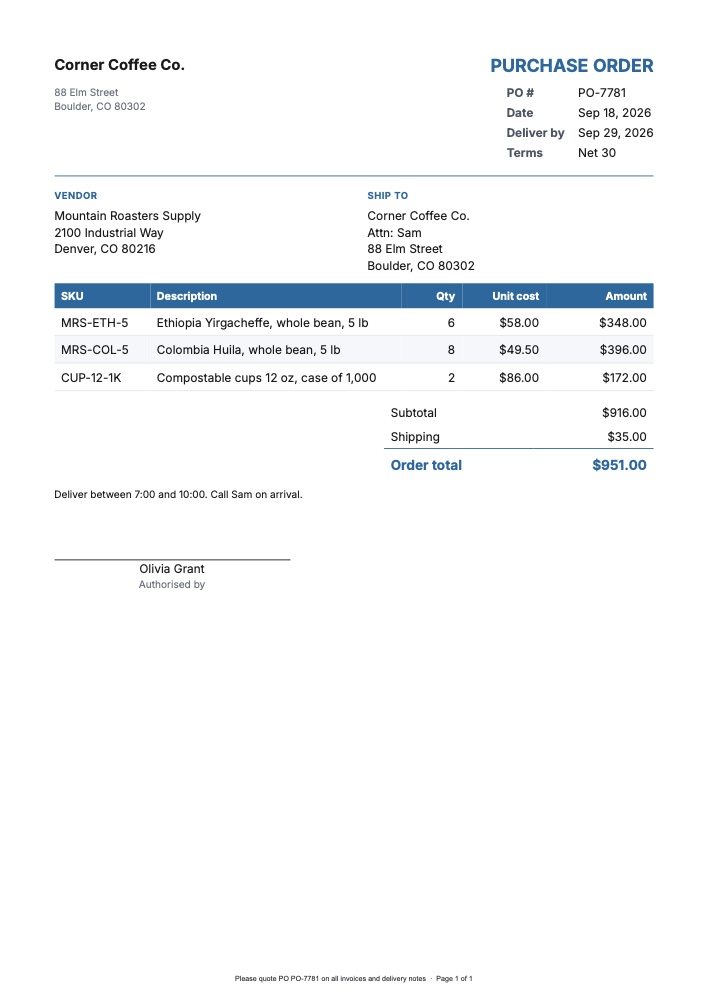
The purchase order has your company details, the PO number, order date, required delivery date and payment terms, the vendor and ship to addresses side by side, an items table with SKU, quantity and unit cost, totals with tax and shipping, notes for the supplier, and an Authorised by signature line. The footer asks the supplier to quote the PO number on every invoice and delivery note.
curl -X POST https://api.podpdf.com/templates/YOUR_TEMPLATE_ID/render \
  -H "X-API-Key: YOUR_API_KEY" \
  -H "Content-Type: application/json" \
  -o PO-7781.pdf \
  -d '{
    "data": {
      "buyer": { "name": "Corner Coffee Co.", "address": "88 Elm Street\nBoulder, CO 80302" },
      "po_number": "PO-7781",
      "order_date": "2026-09-18",
      "delivery_date": "2026-09-29",
      "payment_terms": "Net 30",
      "vendor": { "name": "Mountain Roasters Supply", "address": "2100 Industrial Way\nDenver, CO 80216" },
      "ship_to": "Corner Coffee Co.\nAttn: Sam\n88 Elm Street\nBoulder, CO 80302",
      "items": [
        { "sku": "MRS-ETH-5", "description": "Ethiopia Yirgacheffe, whole bean, 5 lb", "quantity": 6, "unit_cost": 58 },
        { "sku": "CUP-12-1K", "description": "Compostable cups 12 oz, case of 1,000", "quantity": 2, "unit_cost": 86 }
      ],
      "shipping": 35,
      "approved_by": "Olivia Grant"
    }
  }'
Each line is quantity × unit_cost; the template adds them up, applies tax_rate if you send one, adds shipping and prints the Order total. Lines with zero tax or shipping are hidden, so a tax-exempt order doesn’t show “Tax $0.00”.
Where POs come from: an approval in your procurement tool, a reorder point in your inventory system, or a form your team fills in. Wire the approval step to the render call and the supplier gets the PDF the moment the order is approved. When the goods arrive, the supplier’s delivery note and invoice can quote the same PO number.
Service Reports and Work Orders
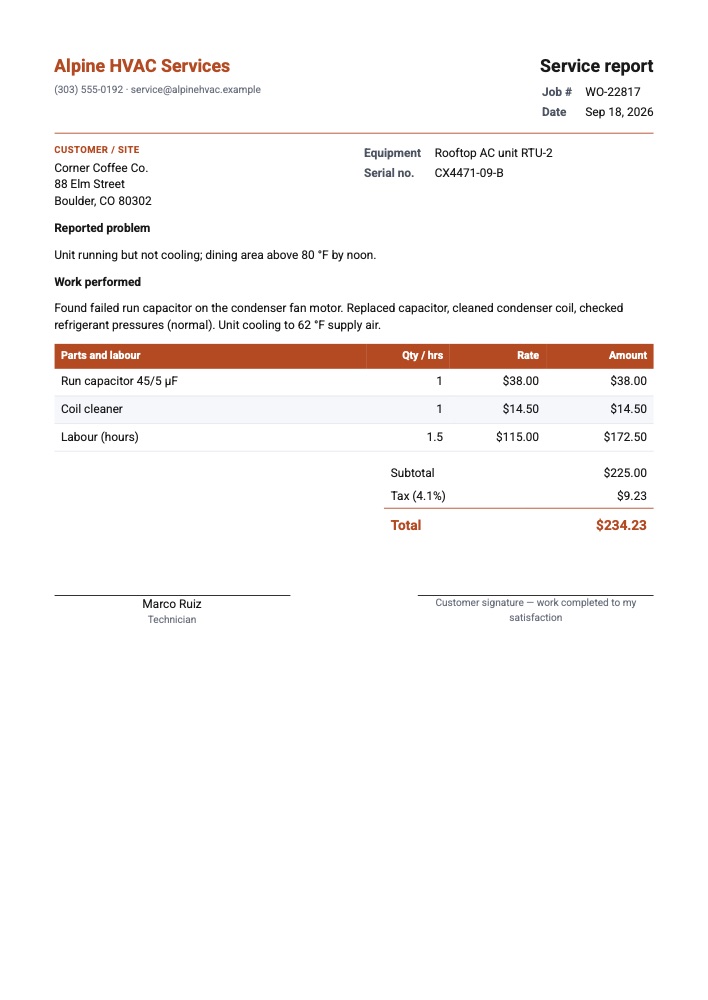
The service report records a job: the job number and date, the customer and site, the equipment and serial number, the reported problem, the work performed, a parts-and-labour table, totals, and two signature lines — the technician’s, and the customer’s confirming the work was completed.
| Field | What goes in it |
|---|---|
job_number, service_date | From your job scheduling system |
customer.name, customer.address | The site where the work was done |
equipment, serial_number | What was serviced |
problem, work_performed | Free text, line breaks kept |
lines | Parts and labour: description, quantity, unit_price |
technician | Printed under the technician’s signature line |
Labour goes in the same table as parts — "Labour (hours)" with quantity: 1.5 and the hourly rate — so the total covers both. With no billable lines, the table reads “No charge”.
Field teams often fill the job in on a tablet or a form app; send the submission to the render endpoint and email the report to the customer before the technician has left the car park. Print it instead if your customers sign on paper.
Restaurant Menus
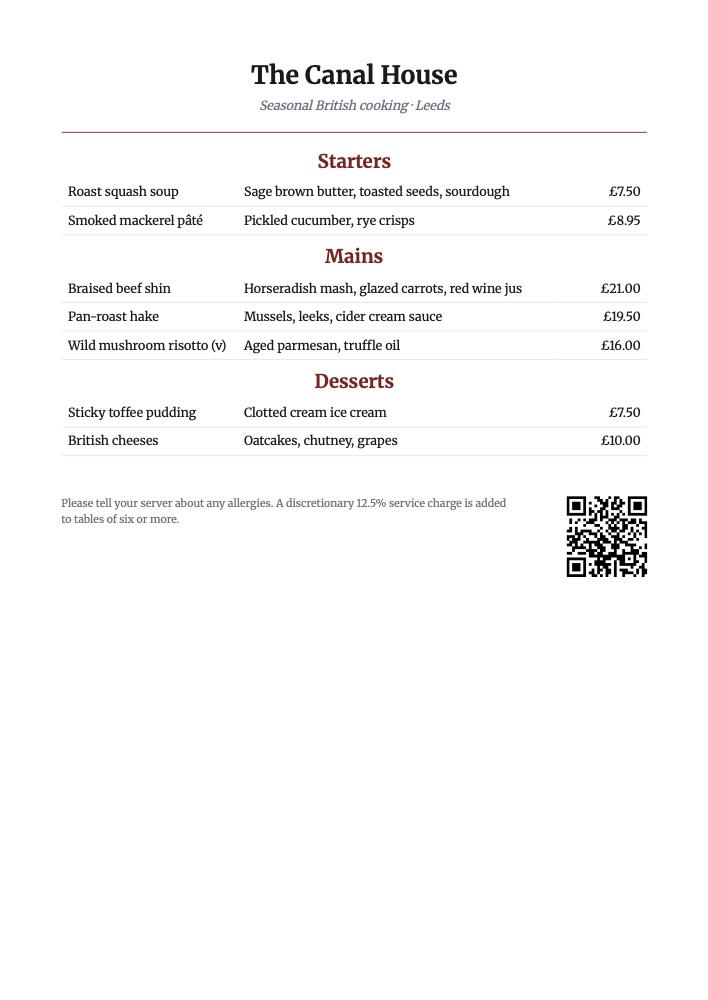
The menu template has three sections — starters, mains and desserts — each a list of dishes with name, description and price, plus an allergen note and a QR code linking to your online menu. The tables have no column headings, so they read like a menu rather than a spreadsheet.
{
  "data": {
    "restaurant": "The Canal House",
    "tagline": "Seasonal British cooking · Leeds",
    "mains": [
      {
        "name": "Braised beef shin",
        "description": "Horseradish mash, glazed carrots, red wine jus",
        "price": 21
      },
      {
        "name": "Wild mushroom risotto (v)",
        "description": "Aged parmesan, truffle oil",
        "price": 16
      }
    ],
    "allergen_note": "Please tell your server about any allergies.",
    "menu_url": "https://canalhouse.example/menu"
  }
}
Keep the menu in a spreadsheet, a POS or a CMS and print a fresh copy whenever a dish or price changes — no designer needed for a daily specials sheet. Prices are formatted in the template’s currency. Only mains is required: a section you send no dishes for keeps its heading, so for a lunch menu without desserts, delete that section in the builder or duplicate the template.
Use Cases
- Procurement: purchase orders from approvals, reorder points or a purchase request form
- Wholesale and distribution: POs to suppliers with SKUs, and delivery notes back
- HVAC, plumbing, electrical and IT support: work orders and service reports with customer sign-off
- Property maintenance: job sheets per visit, sent to the landlord and tenant
- Restaurants, cafés and bars: menus, specials sheets and event menus
- Caterers: a menu per event with the client’s name in the tagline
Pricing
Each document is one PDF at $0.01. Long purchase orders flow onto more pages with the table header repeated, up to 25 pages per PDF.
Get Started
- Open the template library and filter by Business documents
- Read the templates API reference
- Related guides: quotes and estimates, invoices from JSON, QR codes in PDFs