Send PDF Invoices and Receipts on WhatsApp with PodPDF and WhatsAble
Generate a PDF with PodPDF and deliver it to your customer on WhatsApp with WhatsAble, all in one Zap. Invoices, receipts, quotes, booking confirmations and tickets, sent where your customers actually read them.
Email open rates keep falling, while WhatsApp messages get read within minutes. For a lot of businesses (shops, clinics, agencies, property managers, event organisers) WhatsApp is already where the customer conversation happens. Yet the invoice, the receipt or the booking confirmation still goes out by email, or someone downloads a PDF and forwards it by hand.
This guide joins two tools so that never happens again. PodPDF makes the PDF from your data, and WhatsAble sends it to your customer on WhatsApp, from your own business number. One Zap, no copying and pasting.
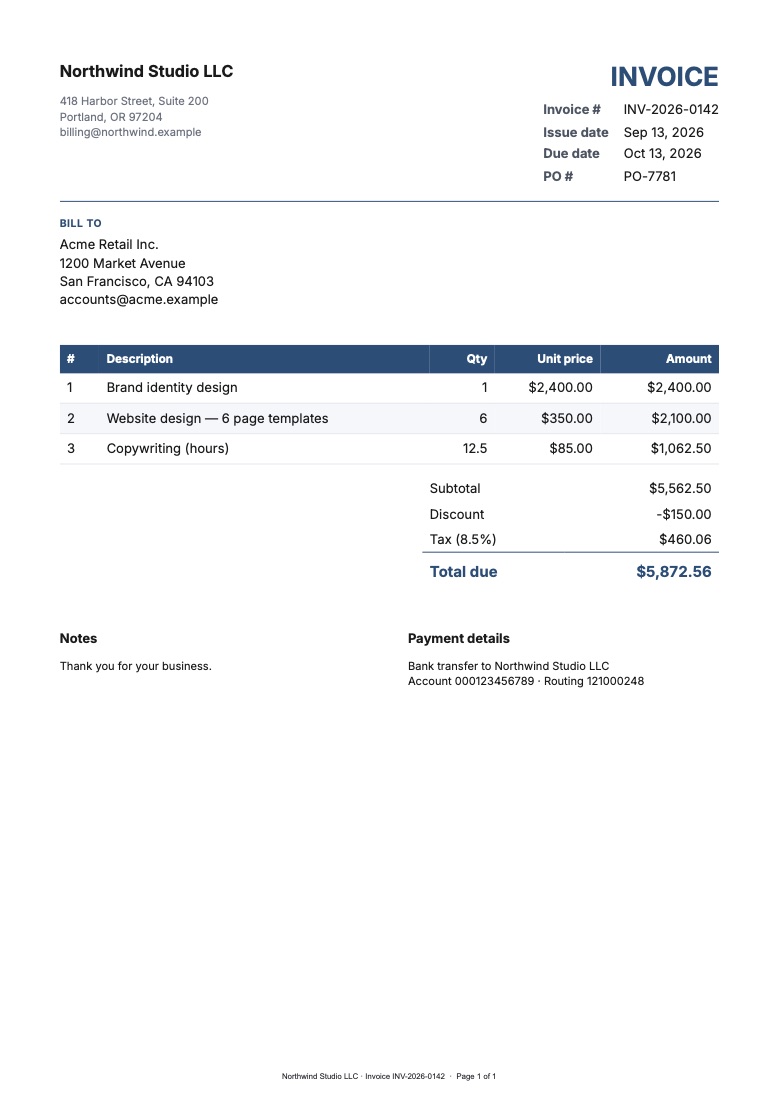
What You’ll Build
A Zap with three steps:
- Trigger: something that means a document is due. A paid Stripe invoice, a new row in Google Sheets, a deal marked won in your CRM, a form submission.
- PodPDF → Render Template: fills your invoice (or receipt, quote, ticket) template with the trigger’s data and returns the PDF.
- WhatsAble → Send WhatsApp Message: sends that PDF to the customer’s WhatsApp.
The same pattern works for anything a customer should have on their phone: receipts, quotes and estimates, booking and order confirmations, event tickets with QR codes, certificates, statements.
Before You Start
- A PodPDF account and an API key from Settings → API Keys
- A WhatsAble account with your WhatsApp Business number connected, and your API key from the WhatsAble dashboard (WhatsAble’s Zapier guide shows where)
- A Zapier account. Both PodPDF and WhatsAble have their own Zapier apps, so no webhooks or code are needed
Step 1: Make the Template
In the PodPDF dashboard, open Templates → Template library and pick a starting point: Invoice, Receipt, Quote / Estimate, Event ticket or any of the 32 starters. You get your own copy to edit, with your logo, colours and wording.
Click Fields & test data to see the fields the template expects, such as invoice_number, customer.name and items. Copy the template ID from the template page; the Zap needs it.
Tip: WhatsApp shows a PDF’s first page as the preview in the chat, so keep the important part (the total, the date, the booking reference) near the top.
Step 2: Add PodPDF to the Zap
After your trigger, add an action step:
- App: PodPDF
- Event: Render Template
- Template ID: the ID you copied
- Data: map trigger fields to template fields, one row each, for example
invoice_number→ the Stripe invoice number,customer.name→ the customer’s name. Dotted keys such ascustomer.namefill nested fields. - Data (JSON): for lists such as invoice line items, pass a JSON object like
{"items": [{"description": "Consultation", "quantity": 1, "unit_price": 120}]} - Filename: something the customer will recognise, such as
Invoice-1042.pdf
Test the step. PodPDF returns the PDF file plus a Download URL, a private link to the PDF that stays valid for one hour, which is plenty for the next step in the same Zap run.
Step 3: Send It with WhatsAble
Add another action step:
- App: WhatsAble
- Event: Send WhatsApp Message
- Phone number: the customer’s number from the trigger, in international format with digits only (for example
447700900123)
What comes next depends on whether the customer has messaged you in the last 24 hours. That’s WhatsApp’s rule, not WhatsAble’s or ours.
The customer messaged you recently
Inside WhatsApp’s 24-hour conversation window you can send a plain document message. Choose the Document message type and fill in:
- Document URL: the Download URL from the PodPDF step
- Filename: the same name you gave the PDF
- Caption: a short line, such as “Here’s your invoice for order 1042. Thanks for your business!”
Messaging first, or after 24 hours
To start a conversation, WhatsApp requires a pre-approved template message. Create a template with a document header in WhatsAble (for example “Hi {{1}}, your invoice {{2}} is attached.”), wait for Meta to approve it, then in the Zap:
- Pick the template under Template Name or ID
- Put the PodPDF Download URL in the Media field, which fills the document header
- Map the body variables, such as the customer’s first name and the invoice number
Turn the Zap on, and every new trigger now ends with a PDF in your customer’s WhatsApp.
Using n8n Instead
The same flow works in n8n with the verified PodPDF node and WhatsAble’s n8n integration. Use Render Template in PodPDF, then pass its download_url to WhatsAble’s send-message node as the document URL.
Good to Know
- Links are short-lived on purpose. The Download URL expires after an hour, and the PDF itself is deleted from PodPDF after 30 days. WhatsApp keeps its own copy of the file once it’s delivered, so the customer can open it whenever they like. If you also need an archive, add a Google Drive or Dropbox upload step to the Zap.
- Size limits. WhatsAble sends attachments up to 16 MB, far more than a typical invoice or ticket needs.
- Cost. Every PodPDF account starts with free PDFs, then each render is one PDF on your plan (pricing). WhatsApp’s own message fees and your WhatsAble plan apply on their side.
- Opt-in. Only message customers who agreed to hear from you on WhatsApp. It’s Meta’s policy, and it keeps your number in good standing.
Ideas to Try
- Shops: a receipt on WhatsApp the moment a Shopify or Stripe payment lands
- Clinics and salons: an appointment confirmation with the address and a map QR code
- Agencies and freelancers: the quote PDF sent straight after the discovery call, with a follow-up sequence in WhatsAble if there’s no reply
- Events: tickets with a QR code, delivered to the attendee’s phone, where they’ll need them at the door
Building WhatsApp automations for clients? PodPDF works in Zapier, n8n, Make and more. Create a free account and send your first PDF on WhatsApp today.